

Disclosure: some links in this article may be partner links. If you buy through them, we may earn a commission at no extra cost to you. It does not change what we write.
Vibe CTV is a self-serve platform for buying ads on streaming TV apps, and the honest answer to "can a small business use it?" is yes, but only if you have a video ad and can set aside a real test budget. Vibe's pricing page FAQ states a minimum spend of $50 per day, which is about $1,500 if you run a full month, and there are no subscription fees: you pay for the ad space you buy.
This review explains in plain terms what connected TV (CTV) advertising is, what Vibe includes, what a test costs, which stores it suits, what to watch out for, and a 14-day test plan. It is written for owners of small online shops and service brands who already run Facebook or Google ads and wonder whether TV is the next step.
How we reviewed: based on Vibe's official pricing page (including its budget simulator and FAQ) and homepage, checked November 13, 2026. We have not run a paid campaign on Vibe. Cost figures on Vibe's site are ranges, not guaranteed rates, so confirm current terms with Vibe before you spend.
Vibe CTV review: the short answer
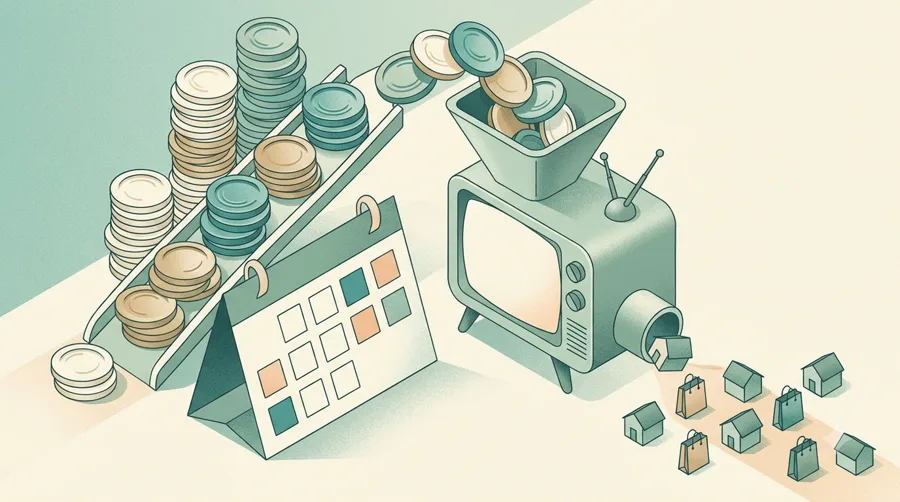
Connected TV, or CTV, means ads shown on streaming apps watched on a television, the spots that play before or during shows on smart TVs and streaming boxes. Traditionally, TV advertising meant agencies and large upfront contracts. Vibe lets you set up a campaign yourself, choose an audience, upload a video and pay with a credit card.
- Good fit: online stores and direct-to-consumer brands that already sell profitably through social or search ads, have at least one short video, and can spend $50 a day for a few weeks without hurting cash flow.
- Weak fit: brand-new stores still testing which products sell, owners with no video creative, and local businesses that need a few calls this week rather than broad awareness.
For most small shops, Vibe is a second or third ad channel, not the first one.
What the Vibe CTV platform includes
Where your ads run
Vibe says it has certified supply on 500+ premium streaming channels. Its homepage mentions apps your customers already watch, “from live sports and news to Disney+, Hulu and YouTube”. The pricing page lists streaming apps, TV channels, live sports, and live shows and movies as included content.
Targeting
The pricing page lists interest, socio-demographic, geographic, retargeting and email targeting. That last one means you can upload your customer list to reach similar or existing households. Vibe also connects to customer tools such as Klaviyo and HubSpot to sync audiences.
Vibe.co and Walmart Audiences
A newer feature is Walmart Audiences, which Vibe says lets you reach shoppers based on what they actually buy, online and in stores. For a small brand, this can mean targeting people who recently bought in your product category. Ask Vibe whether these segments carry any extra data cost before you use them.
Creative tools
The pricing page lists Vibe Studio, video hosting, compression and resampling, and creative A/B testing. The homepage mentions AI Creatives and a video generator. This helps if you only have vertical social videos, but check that the result looks right on a large screen before you spend.
Measurement
Vibe positions itself around measuring TV in sales, not just views. Included reporting covers delivery, performance measurement, tracking through Google Analytics, mobile measurement partners and a pixel, and forecasting. The homepage lists integrations with Shopify, Triple Whale, Northbeam and Haus, and says it supports incrementality testing, which compares results in areas or groups that saw your ad with ones that did not.
Controls and support
You get automatic or manual bidding, frequency capping (limiting how often one household sees your ad), 24/7 support, multi-account access and optional managed campaign help. Vibe also says AI agents, in Vibe or in an assistant such as Claude, can move budget and pause or scale campaigns.
Vibe CTV advertising costs in November 2026
Vibe has no subscription plans. You pay for media (ad space). These figures come from Vibe’s pricing page as of November 2026:
| Item | What Vibe states |
|---|---|
| Minimum spend | $50 per day (pricing page FAQ) |
| Cost per thousand impressions (CPM) | $15 to $40, depending on channel and time of placement (FAQ); the budget simulator shows $15–$35 |
| Cost per view (simulator) | $0.01–$0.04 |
| Contract | “No Contract, No Commitment” |
| Payment | Credit card or wire transfer |
| Subscription fee | None listed |
One inconsistency to know: the homepage says “No contracts, no minimums”, while the pricing FAQ states a $50 daily minimum. Plan around the $50 figure.
What that means in plain numbers
- Impressions per day: at $50 a day and a CPM between $15 and $40, you would buy roughly 1,250 to 3,300 ad impressions a day. This is our arithmetic from Vibe’s ranges, not a quote.
- A 14-day test: 14 × $50 = $700 in media.
- A full month at the minimum: about $1,500.
Compare that with what you spend on social ads now. If your total monthly ad budget is $500, a TV test would triple it. Our guide on budgeting for your first business tools has a simple way to set a test limit you can afford to lose.
Hidden costs to plan for
- Video production. Streaming publishers expect horizontal, TV-quality video. If you need a new ad, budget for it or test Vibe’s AI creative tools.
- Your time. Expect a few hours to set up audiences, tracking and creative.
- Measurement tools. Incrementality tests with third-party partners may have their own fees; ask those partners.
Is Vibe a good fit for a small online store?
It fits if you already know your numbers. Example: a skincare brand on Shopify that makes steady sales from Instagram ads, has a 15–30 second product video, and wants to reach new customers who do not scroll social feeds. A two-week test with a capped budget will show whether TV viewers visit the store and buy.
It does not fit if you are still finding product-market fit, your website converts poorly, or you need immediate calls from a small local area. TV builds awareness over time; it rarely rescues a weak store. Fix the landing page first; our Unbounce review covers a simple first landing page for ads.
For local service businesses, geographic targeting exists, but call tracking may tell you more for less money. See our CallRail review.
Vibe vs other CTV options
Other names you will see are MNTN, Tatari and Amazon DSP. Vibe’s selling points are self-serve setup, a low daily minimum and card payment. Some platforms are built for larger budgets or managed service. Check each one’s current minimums on its own site, because those terms change.
Vibe.co reviews: what to make of ratings
Vibe says it is rated 4.8/5 on G2 and that 15,000 hyper-growth brands use it. Its pricing page shows testimonials from small businesses praising ease of use, audience tools and reporting, including one that mentions seeing the zip codes where ads ran. Those quotes are chosen by Vibe, so treat them as a sign of what the product aims to do, not proof of results for your store.
The case-study figures on the homepage, such as revenue growth or return on ad spend, are best results from specific brands. Your outcome depends on your product, price, video and website. Set your own pass-or-fail number before the test starts.
Limits and risks
- Markets are not listed. The homepage and pricing page do not say which countries you can advertise in. Confirm before you build a campaign.
- Cost ranges are not guarantees. CPM depends on channel and timing. Live sports and peak seasons usually cost more.
- Attribution is harder than on social. People rarely click a TV ad. They see it, then search for you later. Use a dedicated discount code, a QR code or a holdout test so you can see the effect.
- Creative matters more. A weak video wastes money faster on TV than in a feed, because viewers cannot scroll past it but also cannot click it.
- Budget creep. With no contract, it is easy to keep raising daily spend. Set a hard cap in advance.
- Customer data. If you upload email lists or connect your CRM, check your privacy policy covers advertising use, and only upload customers who agreed to marketing.
A 14-day Vibe test plan you can run
- Before you start: set the limit. Decide the most you will spend, for example $700 for 14 days at $50 a day, and the result that would count as success (such as a lift in direct website visits or a set number of orders with your TV-only discount code).
- Day 1: confirm terms. Check the country you can target, the minimum spend and how you are billed.
- Day 2: install tracking. Add Vibe’s pixel or connect Shopify or Google Analytics, so you can see website visits after people see the ad.
- Day 3: prepare one video. 15 or 30 seconds, horizontal, with your brand name said aloud and a simple offer such as a TV-only code.
- Day 4: build one audience. Start narrow: past customers plus a lookalike, or one category of in-market shoppers. Set a frequency cap so the same household does not see the ad too often.
- Days 5–14: leave it running. Do not change several things at once. Record daily spend, impressions, site visits and code redemptions.
- Day 14: decide. Compare branded searches and direct visits with the two weeks before. If you cannot see any change, pause and improve the video or offer before spending more.
Running other new tools at the same time? The same “one change at a time” rule from our one-week evaluation plan applies here.
Verdict
Vibe makes streaming TV ads possible without an agency or upfront contract, with a stated $50 daily minimum and CPMs Vibe puts at $15 to $40 as of November 2026. It is a sensible next channel for small brands that already know their numbers and have a video, and a poor first channel for everyone else.
Best for
- Online stores and DTC brands already profitable on social or search ads
- Owners with a usable 15–30 second video and a test budget of about $700 or more
- Brands that can track results with codes, pixels or holdout tests
Look elsewhere if
- New stores still testing products or with a weak website
- Businesses with no video creative and no budget to make one
- Local businesses that need calls this week from a small area
Frequently asked questions
How much does Vibe CTV advertising cost?
There is no subscription. Vibe's pricing FAQ states a minimum spend of $50 per day and CPMs of $15 to $40 depending on channel and timing, as of November 2026. A 14-day test at the minimum is $700 in media.
Is there a contract or minimum with Vibe?
Vibe says there is no contract or commitment and you can pay by credit card or wire. Its pricing FAQ states a $50 daily minimum spend, even though the homepage says "no minimums", so plan around $50 a day.
What is Vibe.co Walmart Audiences?
It is a targeting option that Vibe says lets you reach shoppers based on what they buy online and in stores, using Walmart purchase data. Ask Vibe about any extra cost and availability in your market.
Do I need a TV commercial to use Vibe?
You need a video ad suitable for TV screens. Vibe offers creative tools, including AI creatives and a video generator, but review any generated ad carefully before running it.
Are Vibe.co reviews positive?
Vibe says it is rated 4.8/5 on G2 and shows positive small-business testimonials. Those are selected by Vibe, so judge it on your own capped test.