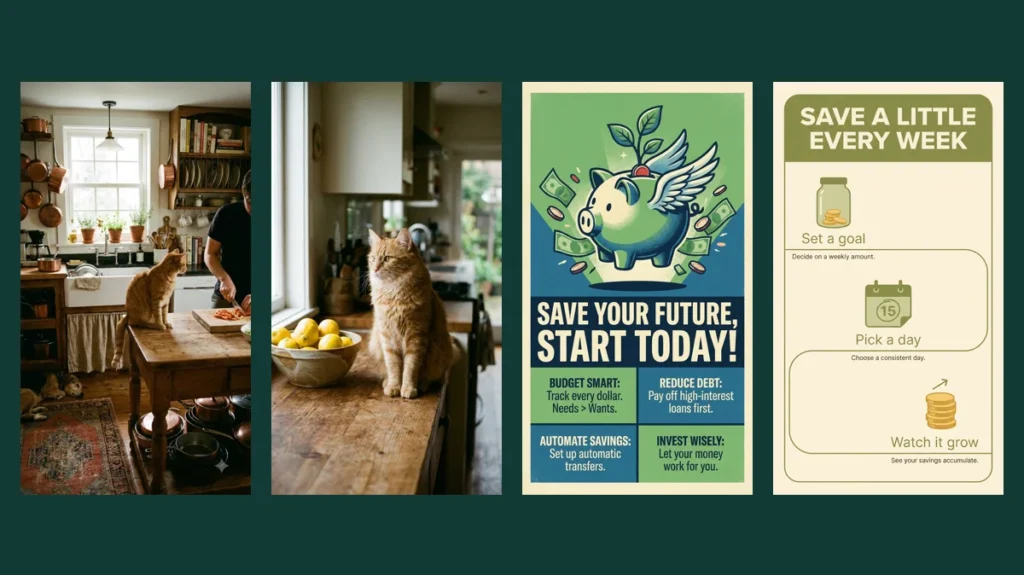
A specific prompt does not always produce a prettier image. In our tests, what it changed was control: with a vague prompt the model invented the layout, the props and even the text, and with a specific prompt it followed our choices.
We ran three short, vague prompts and three specific versions of the same ideas on the same model, in the same vertical format, and kept the results unedited. Here they are side by side, with what each added detail actually changed.
The test images in this article were generated by us with Nano Banana Pro (through CinAI and Google Flow) in November 2026 and are shown without editing. Each prompt was run once, so treat the results as examples, not as a benchmark.
How we tested
- Model: Nano Banana Pro, the same for every image.
- Format: vertical 9:16 for all six images.
- Vague prompts: two to six words, the way most people start.
- Specific prompts: written with the five-part formula from our prompt-writing guide: subject, setting, style, light and camera, format.
- One run each, no editing, no cherry-picking.
Test 1: a cat in a kitchen
Vague: "a cat in a kitchen"
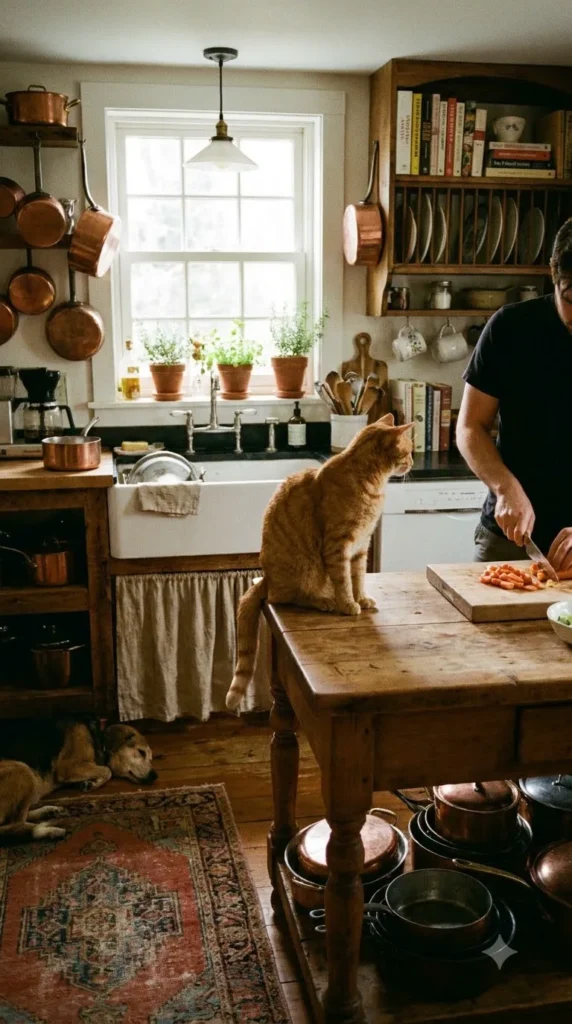
a cat in a kitchen
Specific: ginger cat, counter, lemons, window light
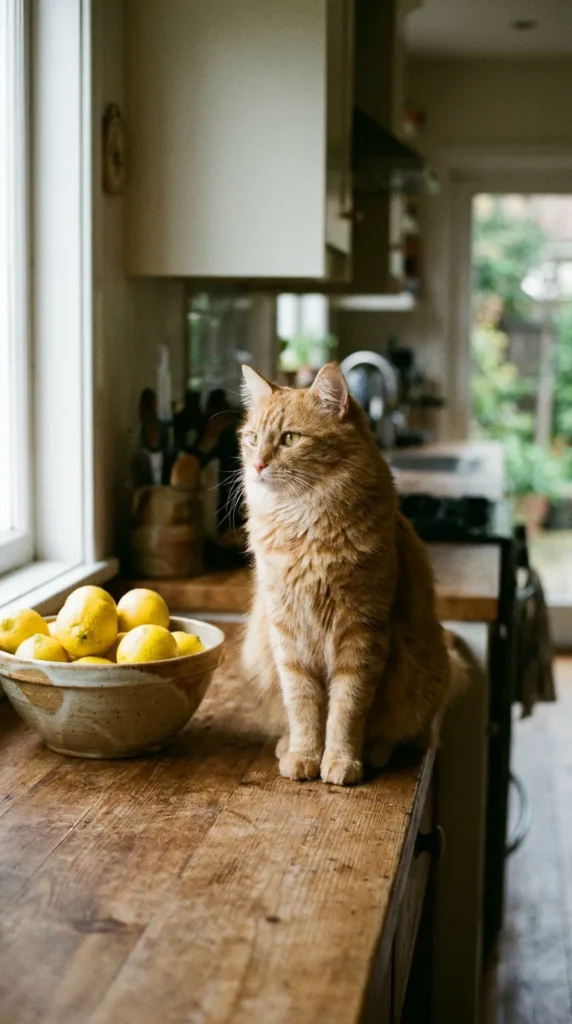
Photo of a ginger cat sitting on a wooden kitchen counter next to a bowl of lemons, morning window light from the left, shallow depth of field, realistic photo, vertical 9:16
The vague prompt still produced an attractive photo: a ginger cat on a kitchen table, with a person cooking in the background. The model chose the cat, the room, the extra person and the light by itself. The specific prompt placed the cat on the counter beside a bowl of lemons with light from the left, as written.
What changed: not the quality, but whether the picture matches the one you had in mind.
Test 2: a poster about saving money
Vague: "a poster about saving money"
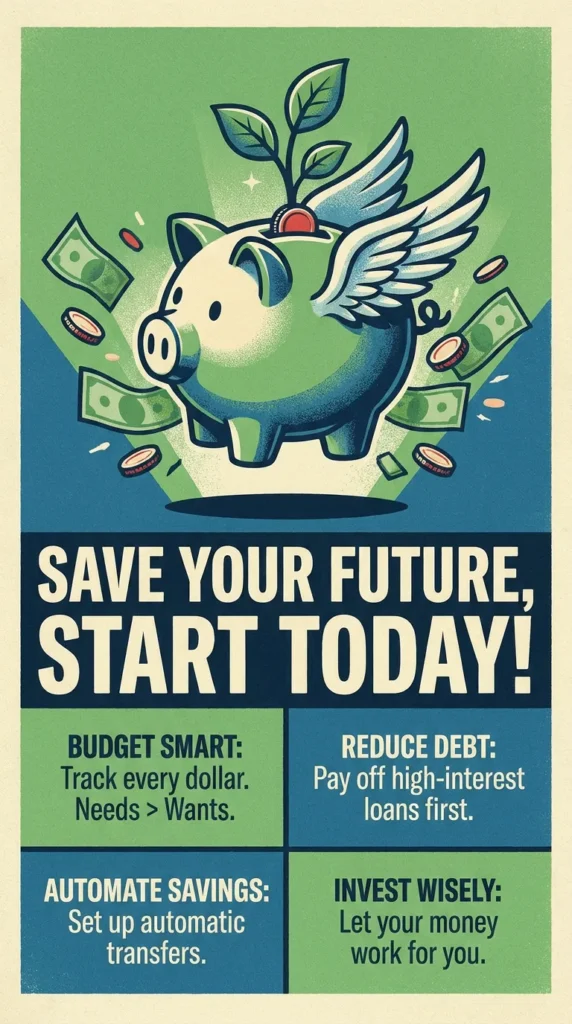
a poster about saving money
Specific: exact title and three labels
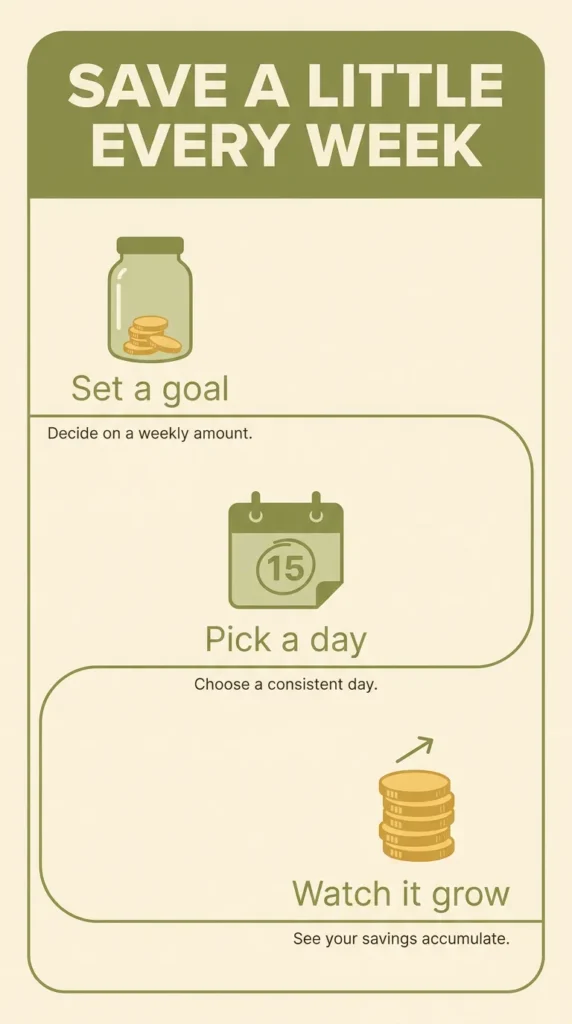
Flat design poster titled "SAVE A LITTLE EVERY WEEK", three simple icons of a jar, a calendar and a coin stack with short labels "Set a goal", "Pick a day", "Watch it grow", warm green and cream colors, clean layout, vertical 9:16
This is where a vague prompt goes wrong in a way that matters. Asked only for “a poster about saving money”, the model wrote its own headline, “SAVE YOUR FUTURE, START TODAY!”, and four blocks of financial tips we never asked for. Publish that image and you are publishing advice you did not write or check.
The specific prompt produced the exact title and the three labels we gave. It still added one short line of small text under each label. Models tend to fill empty space with text unless you say otherwise, so add “no other text” when the words must be exactly yours.
Test 3: a study desk
Vague: "a study desk"
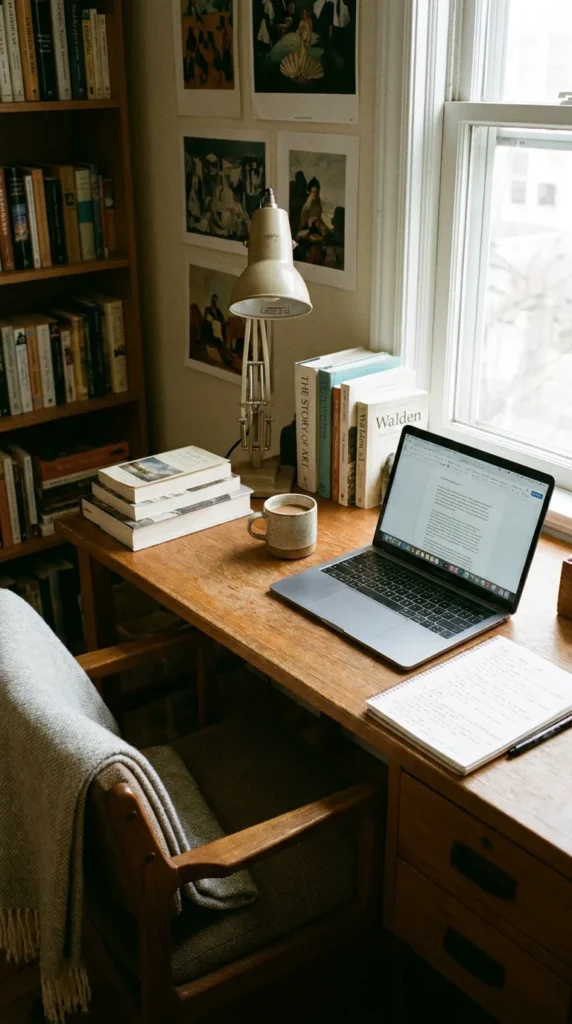
a study desk
Specific: top-down, named objects, one heading
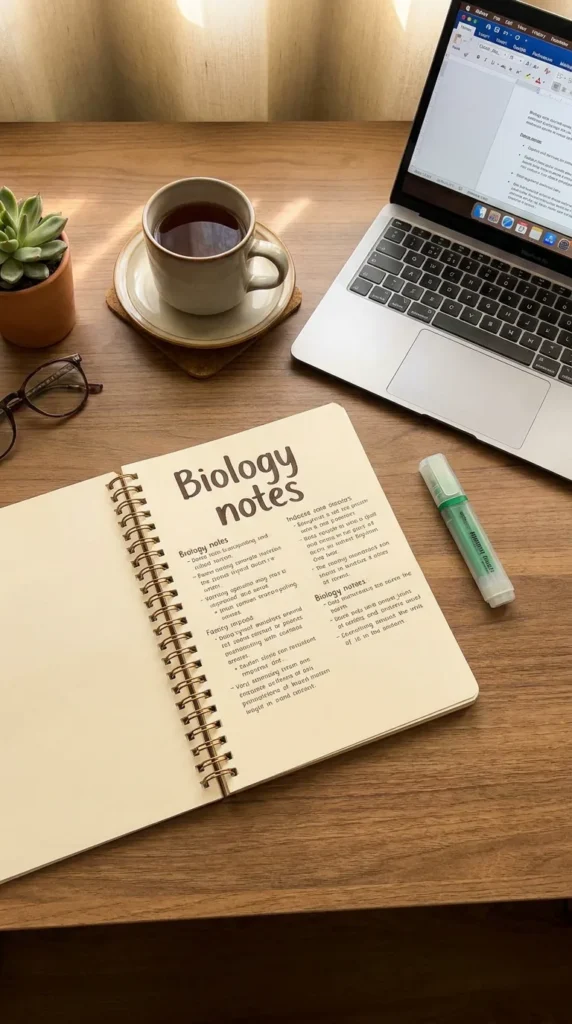
Top-down photo of a tidy study desk: an open notebook with the handwritten heading "Biology notes", a laptop, a green highlighter and a cup of tea, soft afternoon light, realistic photo, vertical 9:16
The vague prompt gave a pleasant but generic room: desk, laptop, books, a lamp and a chair. The specific prompt switched the camera to top-down and included every object we named, including the notebook heading “Biology notes”. The handwriting on the notebook pages is not real text, which is normal when you only specify the heading.
What to add to a vague prompt first
- The setting: where the subject is and what is next to it.
- The exact text, or “no text”: the poster test shows why this matters most.
- The viewpoint: top-down, close-up or wide shot.
- The format: vertical, square or wide, depending on where you will post it.
You do not need all of this every time. Start vague to explore, then add details one at a time until the image says what you mean.
Frequently asked questions
Is a longer prompt always better?
No. Length helps only when the extra words describe something you care about. A short prompt is fine for exploring ideas; add detail when you need a specific result.
Why did the AI add text I did not ask for?
Posters, signs and cards usually contain text, so the model fills them in. Give the exact words in quotes, or write "no text" if you want a clean image.
How many times should I run the same prompt?
Two or three runs is usually enough to see the range of results. If none is close, change the prompt instead of running it again.